
I haven’t been to WordCamp US yet. I’m putting that on the table upfront, because it changes how I want to write this post: not as a “here’s my favorite part of WCUS every year” recap, but as someone who works in and around WordPress, has been circling this event for a while, and is finally looking hard at going in 2026.
So here’s what I’ve actually pieced together about what WordCamp US 2026 looks like, why it’s worth the trip, and what I personally want out of it.
Disclosure: I'm compensated for promoting WordCamp US 2026 in this post.
What WordCamp US Actually Is
WordCamp US is the flagship North American event for the WordPress community. Developers, designers, agency owners, bloggers, and store builders all show up for the same four days, not for a vendor pitch fest, but for actual sessions, hands-on workshops, and a lot of hallway conversation that ends up mattering more than the slides.
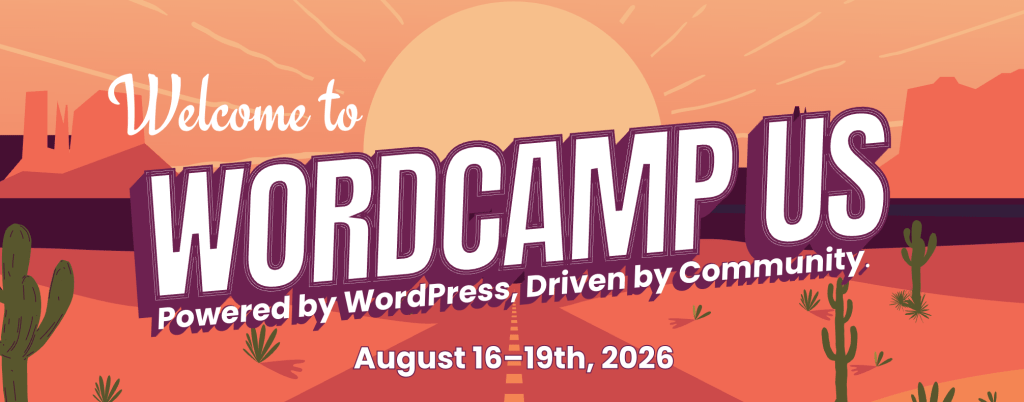
In 2026 it’s in Phoenix, Arizona, at the Phoenix Convention Center, running August 16–19.
Why Phoenix, and Why the New Schedule Matters
Two things stood out to me when I looked into this year’s event. First, the schedule has shifted to Sunday through Wednesday instead of the usual Friday-to-Sunday format. That leaves the weekend before the event wide open if you want to get to Phoenix early and actually see the city instead of sprinting from the airport to a session room.
Second, and this is a small thing that matters more than it sounds, the Phoenix Convention Center is fully air-conditioned. August in Phoenix is genuinely brutal outside. You’re not going for the weather. You’re going for the people, and the venue is built to keep it that way.
What $100 (or $80 With the Code) Actually Gets You
General admission runs $100. Use the code AF26 and it drops to $80, a $20 discount. Either way, that covers all four days: sessions, workshops, meals, and the closing social.
For context, that’s the price of a nice dinner out, for four full days of the kind of content and networking that usually costs a lot more at other tech events. Whatever your read on the value of conferences generally, it’s hard to argue with that math.
Grab tickets here: us.wordcamp.org/2026/tickets/. Use code AF26 for $20 off.
Contributor Day: The Part Most First-Timers Skip (Don’t)
Sunday, August 16 kicks off with Contributor Day, and it’s easy to overlook if you’ve never been. It’s a full day set aside for people who want to give back to WordPress core: writing code, testing, documentation, design, support, whatever your skill set is.
You don’t need prior contribution experience to show up. If anything, this is where a first-timer gets folded into the community fastest, because the people running Contributor Day tables are used to onboarding newcomers on the spot.
Who This Is Actually For
This isn’t a niche developer meetup. The lineup pulls in:
- Developers and engineers building themes, plugins, or custom WordPress solutions
- Designers working on WordPress sites and products
- Agency owners running WordPress-based client work
- Bloggers and content creators who publish on WordPress
- Store builders running WooCommerce shops
If any of those describe your work, there’s a session track or a hallway conversation waiting for you.
Making the Most of the New Schedule
Because WCUS 2026 runs Sunday through Wednesday instead of the old Friday-to-Sunday format, the weekend before is completely open. That’s worth planning around rather than treating as an afterthought.
A few ways people seem to be using that gap, based on what past attendees have mentioned in their own recaps: flying in Friday or Saturday to shake off jet lag before Contributor Day, blocking time to actually explore Phoenix instead of only seeing the inside of a convention center, or using the extra days to meet up informally with people they only know from Slack or GitHub threads. None of that is required, but if you’re traveling any real distance to get there, it turns a four-day work trip into something closer to a full week that’s actually worth the flight.
What I’m Hoping to Walk Away With
Since I’m going in as a first-timer, here’s honestly what’s on my list: meeting people whose plugins or write-ups I’ve relied on without ever putting a face to the name, getting a clearer read on where WordPress is headed as a platform, and picking up at least one workflow idea I can actually use the following week, not just conference inspiration that evaporates by Friday.
I’m also curious about the sponsor floor. WordPress.com, WooCommerce, Jetpack, and Pressable are among this year’s sponsors, and it’s a rare chance to talk directly to the people building tools a lot of us already run our sites on.
Frequently Asked Questions
Do I need previous WordPress experience to attend WordCamp US? No. Sessions run across different skill levels, and Contributor Day tables are set up to onboard people who’ve never contributed before. Showing up curious is enough.
How do I apply the AF26 discount code when buying a ticket? Head to the ticket page, select general admission, and enter AF26 in the promo code field at checkout. It takes $20 off the $100 price, bringing it to $80.

What should I bring if it’s my first WordCamp? A laptop if you’re planning to sit in on Contributor Day, business cards or a way to share your socials/site for networking, and questions. The hallway conversations are where a lot of the value actually happens.
Getting Your Ticket
If you’re on the fence the way I was: WordCamp US 2026 runs August 16–19 in Phoenix, general admission is $100 (or $80 with code AF26), and Contributor Day alone is worth showing up early for.
Tickets: us.wordcamp.org/2026/tickets/ Code: AF26
If I see you there, I’ll be the one asking too many questions at the Contributor Day tables.