

Choosing a WordPress host in 2026 is not about finding the “best” provider. It is about working through what actually matters for your specific situation before finding the right fit for where your blog is right now and where it is headed.
WordPress powers 41.9% of all websites globally, according to W3Techs, and the WordPress hosting market is projected to reach $9.32 billion in 2026, according to 360iResearch.
That scale means the options have matured, but it also means the gap between entry-level and enterprise-grade hosting has widened.
This comparison is different from the typical hosting review. Most reviews pit generic WordPress.org installs against each other and call it a day. I run two separate blogs with the exact same theme and the exact same lean plugin stack. One sits on WordPress.com. The other sits on Rocket.net.
They are different sites with different content, but the underlying tools are identical. The only variable is the hosting layer itself. That means the differences you read about here are not theoretical. They are what you actually feel when you publish, maintain, and grow a blog on each platform.

WordPress.com is Automattic’s fully managed platform. It abstracts every server-level decision and bundles distribution tools like the Reader and native newsletters directly into the dashboard. Rocket.net is a managed WordPress host built entirely around Cloudflare Enterprise infrastructure.
It gives you a standard wp-admin environment with serious performance architecture underneath. The two platforms serve different operator profiles, and this article explains exactly where each one wins.
Affiliate Disclosure: This article contains affiliate links. If you click through and purchase a plan, a commission is earned at no extra cost to you. The steps, observations, and recommendations in this guide are based on direct experience with the migration process and are not influenced by the affiliate relationship.
Why I Run Multiple Hosts Across My Blog Portfolio
I use the same theme and plugin stack across multiple blogs because I am familiar with it and find it easy to work with. Most bloggers stick to one host, so running identical setups on two different providers needs explaining before the comparison itself.
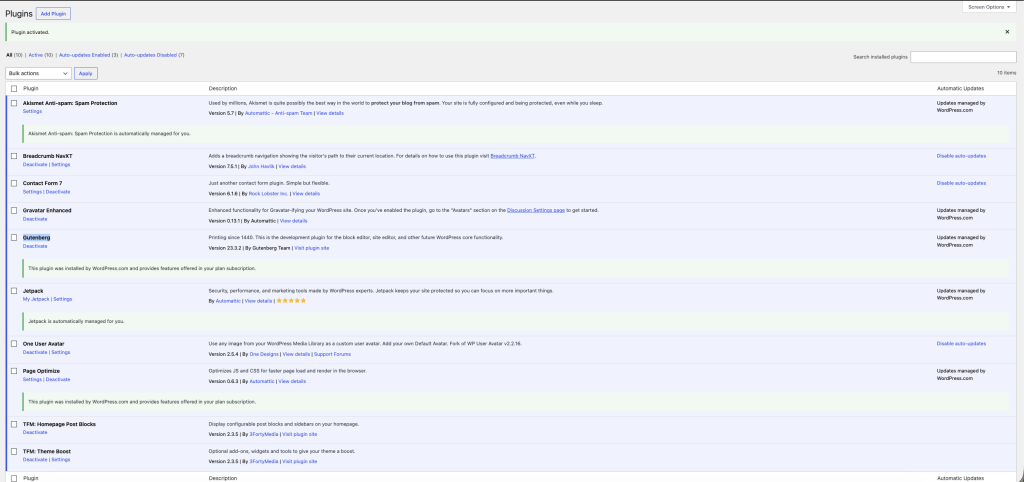
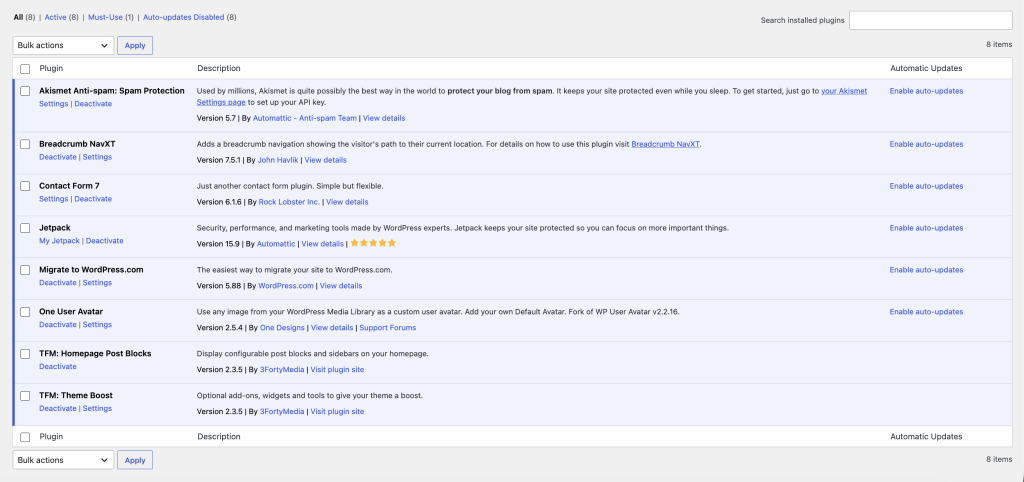
The only difference between the two website is the optimization plugins added by both companies.
WordPress.com plugins list
Rocket.net plugins list
The reasons are largely operational:
- SEO footprint separation. Keeping blogs on different IP ranges and hosting environments avoids building a visible network signature. Backlink profiles stay clean.
- Risk distribution. One host going down, changing terms, or getting blacklisted does not take out the whole operation. That matters more at scale than it sounds on paper.
- Infrastructure benchmarking. When the same content stack runs on different environments, you get real performance data rather than synthetic benchmarks from review sites.
- Workflow fit. Some hosts handle certain traffic patterns and maintenance overhead better than others. Finding out which ones requires actually running sites on them.
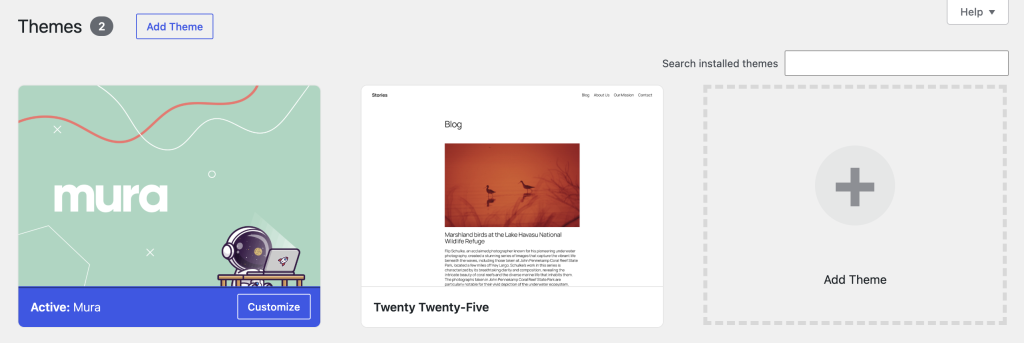
Both blogs covered here share the Mura theme, plus the minimal required plugin setup. The hosting layer is what differs, and that is the only variable worth examining.
WordPress.com: What the Managed Experience Actually Looks Like
WordPress.com is a fully managed platform. That sentence is easy to write and easy to skim past, but the implications run deeper than most people realize until they have used it alongside a traditional self-hosted stack.
Onboarding and first publish
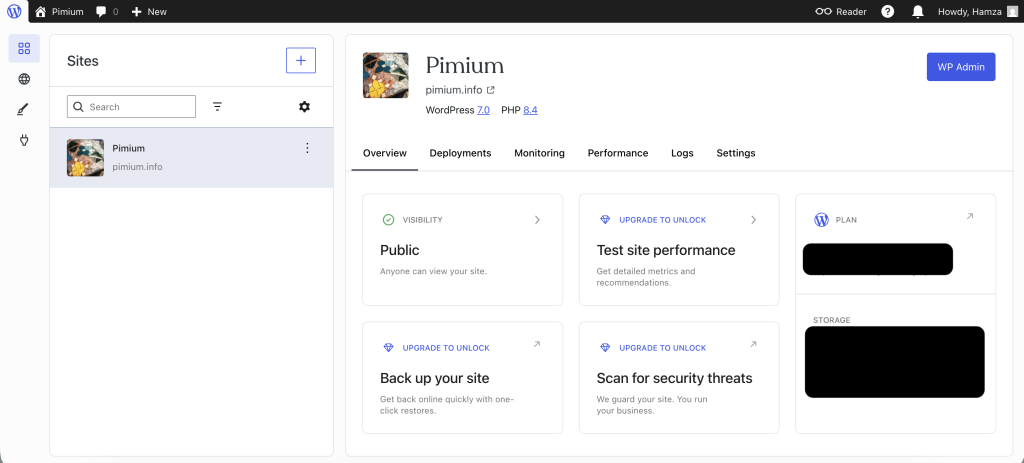
Account setup moves fast. You pick a plan, connect or register a domain, and you are inside the block editor within minutes. There is no server provisioning, no database setup, no FTP configuration. The first publish happens before you would normally finish installing WordPress on a conventional host.
The onboarding flow pushes you toward the block editor immediately. There is no legacy option at the start. The assumption is that you will build with blocks, and the interface reflects that.
The block editor experience
The block editor on WordPress.com is the same Gutenberg core as self-hosted WordPress, but the environment around it is tighter. Plugin options that might interfere with the editor are not available at lower plan tiers, which means the editing experience stays more predictable.
The trade-off is that customization options you might expect, certain block plugins and custom post type tools, require the Business plan ($40/mo monthly, $25/mo annually) before they become accessible.
In practice, the editor handles standard blog publishing cleanly. Where it shows friction is when you push toward anything non-standard: complex layouts, third-party embed types, or blocks that rely on plugins not available at your plan tier.
The guardrails that make the experience smooth for most bloggers are the same guardrails that slow you down when you need to go outside the defaults.
Built-in infrastructure and partnerships
This is where WordPress.com genuinely earns its position. The following features come with every paid plan, without plugin installation or configuration:
- Jetpack stats, brute-force protection, and CDN for images fully integrated with no extra work done by you.
- Built-in newsletter and subscriber management. Readers can subscribe directly without a third-party email tool.
- Akismet spam protection, pre-activated
- Automatic SSL, WordPress core updates, and plugin updates handled by the platform
- Global CDN with 28+ locations
- Real-time backups and one-click restores (Business plan and above)
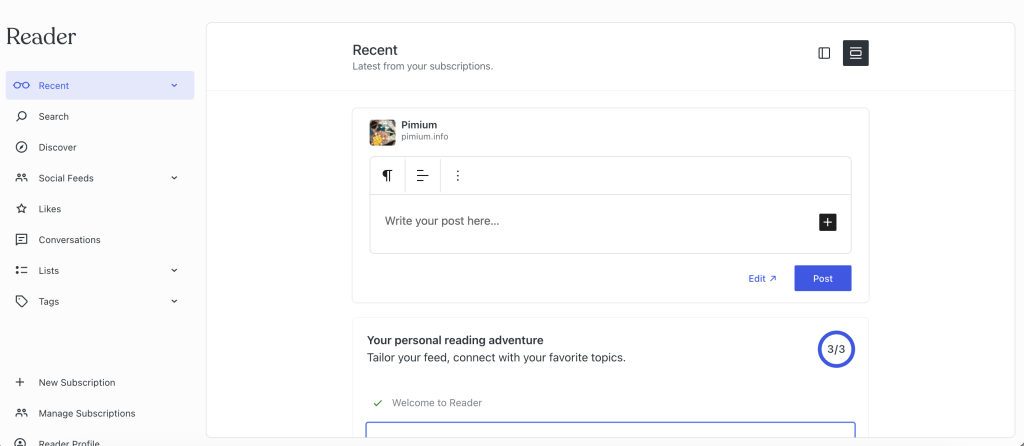
- WordPress.com Reader. This is a built-in discovery layer that surfaces your content to other WordPress.com users.
That last item is underrated. The Reader creates a native distribution channel that no self-hosted setup replicates out of the box. For blogs targeting general audiences rather than niche SEO traffic, the subscriber and Reader ecosystem is a legitimate growth mechanism.
Maintenance reality
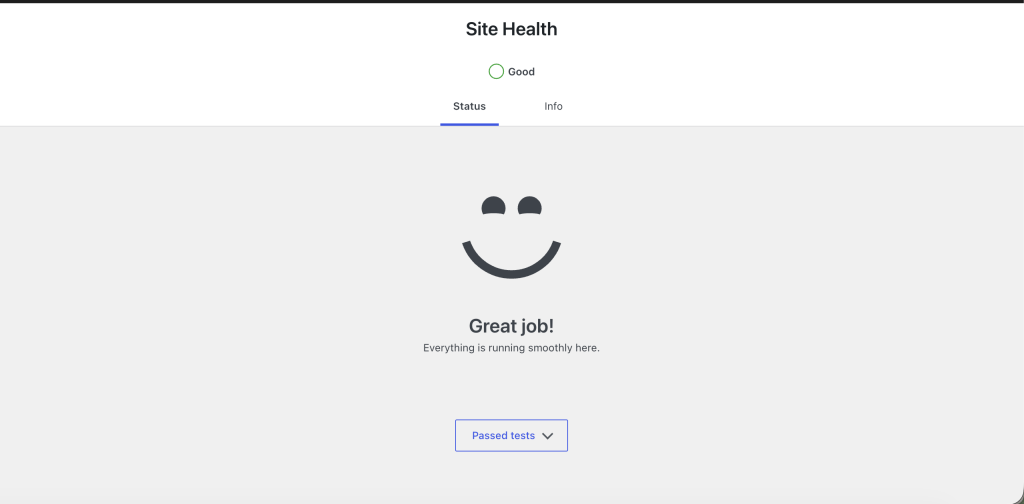
During the period I have run a site on WordPress.com, the maintenance overhead has been close to zero. No update alerts, no plugin conflict debugging, no server resource spikes from uncontrolled cron jobs. The platform absorbs that operational layer entirely.
For comparison: on self-hosted WordPress, I have spent meaningful time dealing with brute-force attacks on wp-login.php, xmlrpc.php probes, and wp-cron.php issues that caused cascading 503 errors. None of that exists as a concern on WordPress.com.
Rocket.net: What Full Control Over the Hosting Layer Looks Like
Rocket.net is managed WordPress hosting built around Cloudflare Enterprise infrastructure. It is not a budget host with a Cloudflare add-on. The entire platform is architected around edge delivery, and that shapes the experience from the first login.
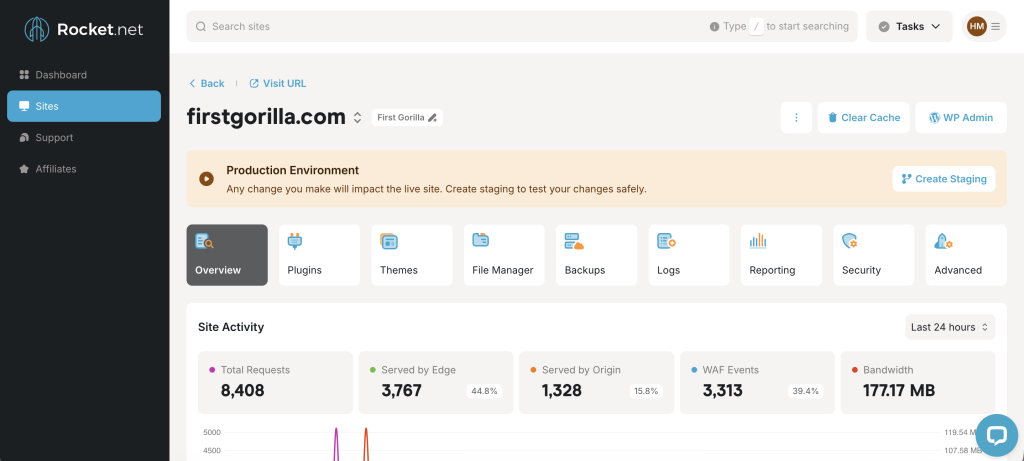
Standard wp-admin, serious infrastructure
You get a conventional wp-admin interface. Full plugin freedom, full theme control, SFTP access, staging environments. This is the complete self-hosted toolkit. The difference from a standard managed host is what sits underneath: Cloudflare Enterprise CDN across 330+ edge locations, a server-level caching layer via the WP Rocket plugin (included free with all plans), Redis object caching pre-configured, and a dual-layer security stack combining Cloudflare’s enterprise WAF with Imunify360 at the server level.
None of that requires configuration. It comes pre-activated and pre-tuned for WordPress.
Performance architecture
The performance stack on Rocket.net is genuinely different from standard managed hosting. Cloudflare Enterprise CDN is not the same product as Cloudflare’s free or Pro tiers. It includes features like Argo Smart Routing and Tiered Caching that the free tier does not offer.
Combined with WP Rocket handling page caching and Redis handling object caching, the setup eliminates most of the performance gaps that typically require separate plugin purchases and manual configuration on other hosts.
WP Rocket comes pre-installed. The caching setup that typically costs $59/year is included.
Plugin freedom and staging
Because this is a standard wp-admin environment, the full WordPress plugin ecosystem is available. On the specific blog I run here, the plugin stack stays lean intentionally.
But the ability to add plugins without hitting a plan restriction is relevant for any site that might need to expand: contact forms with conditional logic, advanced schema markup, membership layers, or WooCommerce extensions that simply are not available on WordPress.com’s lower tiers.
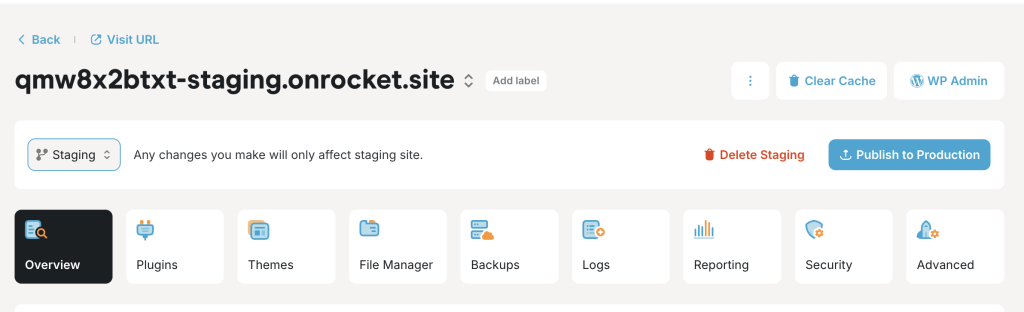
One-click staging environments are built in. Pushing changes to staging, testing, and deploying back to production is a single workflow inside Mission Control. On WordPress.com, staging is available from the Business plan upward. On Rocket.net, it is included at every tier.
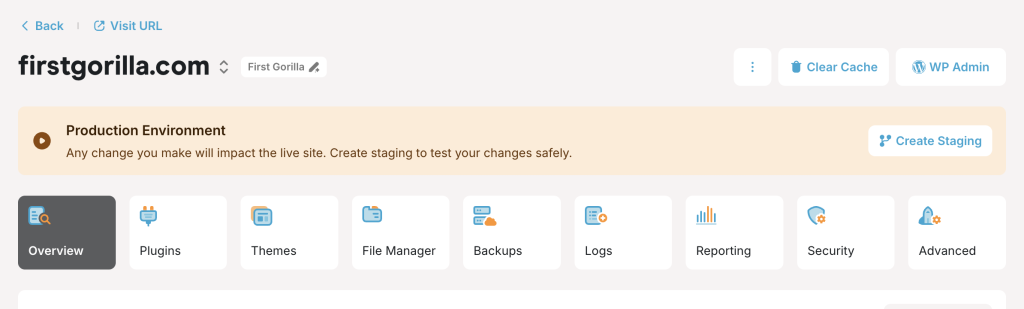
One-click staging in Rocket.net Mission Control. Clone production, test changes, deploy back. Available on every plan tier.
Maintenance overhead
Lower than unmanaged hosting, higher than WordPress.com. WordPress core and plugin updates can be automated, but you own the decision-making around plugins. That means plugin conflicts, incompatibilities, and security vulnerabilities from third-party code are your responsibility to monitor. The platform handles server-level security aggressively, but the application layer is yours.
Head-to-Head: Same Stack, Different Host
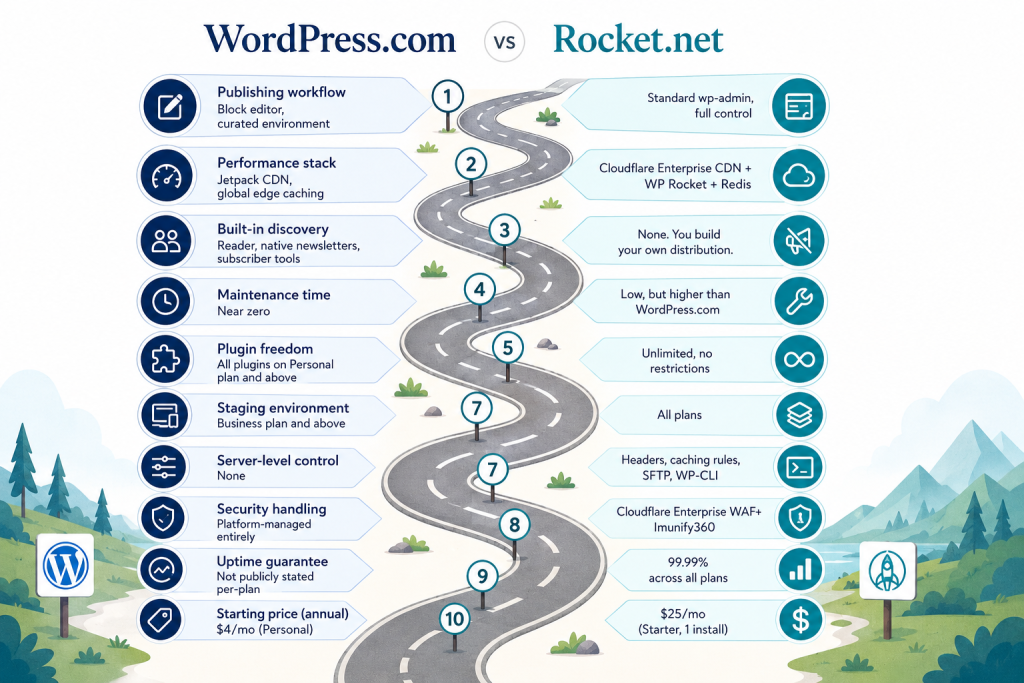
| Factor | WordPress.com | Rocket.net |
|---|---|---|
| Publishing workflow | Block editor, curated environment | Standard wp-admin, full control |
| Performance stack | Jetpack CDN, global edge caching | Cloudflare Enterprise CDN + WP Rocket + Redis |
| Built-in discovery | Reader, native newsletters, subscriber tools | None. You build your own distribution. |
| Maintenance time | Near zero | Low, but higher than WordPress.com |
| Plugin freedom | All plugins on Personal plan and above | Unlimited, no restrictions |
| Staging environment | Business plan and above | All plans |
| Server-level control | None | Headers, caching rules, SFTP, WP-CLI |
| Security handling | Platform-managed entirely | Cloudflare Enterprise WAF + Imunify360 |
| Uptime guarantee | Not publicly stated per-plan | 99.99% across all plans |
| Starting price (annual) | $4/mo (Personal) | $25/mo (Starter, 1 install) |
WordPress.com pricing
| Plan | Monthly billing | Annual billing |
|---|---|---|
| Personal | $9/mo | $4/mo |
| Premium | $18/mo | $8/mo |
| Business | $40/mo | $25/mo |
| Commerce | $70/mo | $45/mo |
Rocket.net pricing
| Plan | Monthly billing | Annual billing | Installs |
|---|---|---|---|
| Starter | $30/mo | $25/mo | 1 |
| Pro | $60/mo | $50/mo | 3 |
| Business | $100/mo | $83/mo | 10 |
| Expert | $200/mo | $166/mo | 25 |
Rocket.net’s annual plans include two months free, and the company has a published no-price-hike-on-renewals policy. That is worth noting given how common renewal rate increases are across managed hosting.
Platform Limitations
WordPress.com limitations worth knowing
Plugin access is available on all paid plans starting with Personal, but certain plugin categories, particularly plugins that require server-level access or modify core WordPress behavior, may not function as expected within WordPress.com’s managed environment. The platform controls the server configuration, and that is a real constraint for anyone building anything non-standard.
You cannot modify core WordPress files. If a workflow requires direct filesystem access for anything beyond standard plugin or theme territory, WordPress.com is not the right environment.
Platform dependency is also real. Your site runs inside Automattic’s infrastructure on their terms. Policy changes, plan restructuring, or feature deprecations are outside your control. For anyone building a business-critical site, that is a risk to factor in.
Rocket.net limitations worth knowing
Rocket.net is overkill for a minimal blog that generates modest traffic. The Starter plan at $25/mo annually is significantly more expensive than WordPress.com’s Personal plan at $4/mo annually. If you are publishing two posts a week and not running any complex functionality, the performance headroom Rocket.net provides goes largely unused.
The platform is WordPress-only. No other CMS, no static site support, no email hosting. If your infrastructure needs are broader, you are combining Rocket.net with other services.
The learning curve is also steeper if you are new to server-adjacent tooling. SFTP access and WP-CLI are available, but they require knowing what to do with them. WordPress.com abstracts all of that. Rocket.net exposes it.
Test Performance for Both Blogs
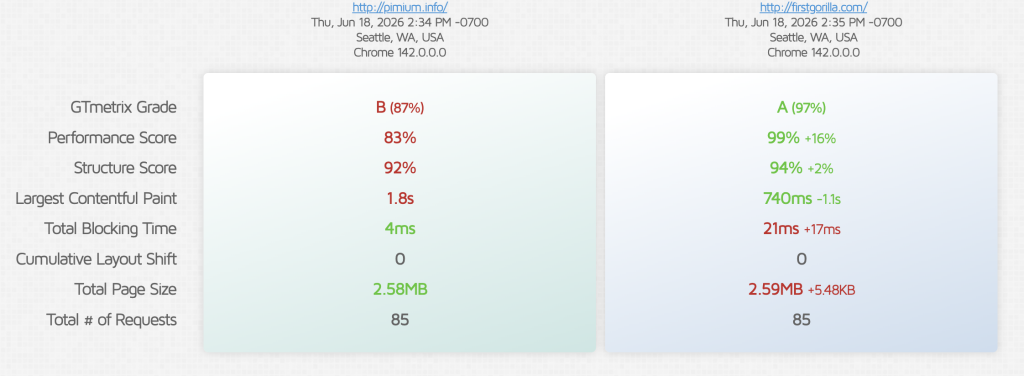
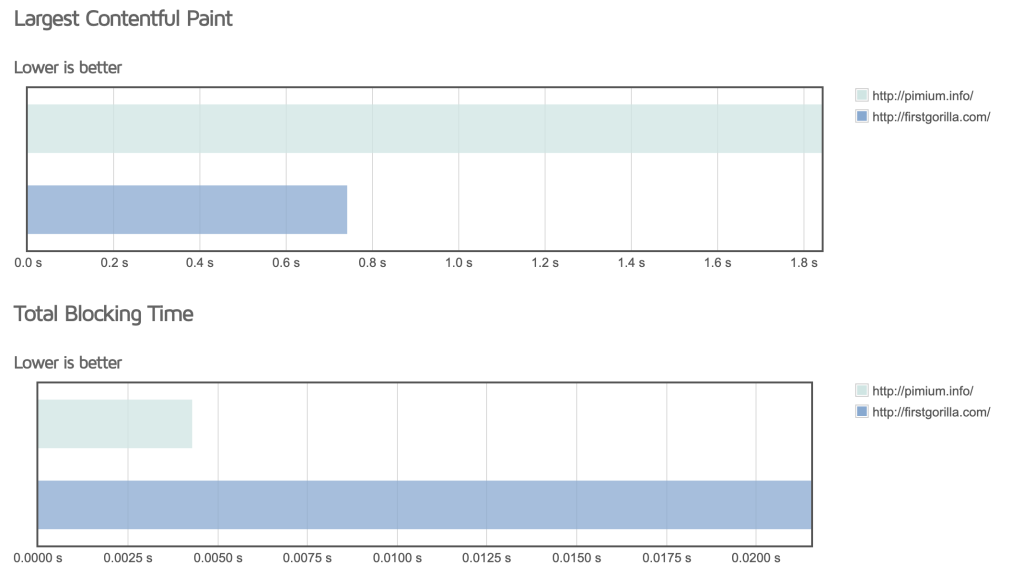
The numbers tell a clear story. Same front-end stack, same payload, but the hosting infrastructure underneath creates a 16% performance gap.
WordPress.com
B grade, 83% performance score, 1.8s Largest Contentful Paint. The Jetpack CDN and built-in caching handle the basics, but the LCP sits above the 1.2s threshold Google flags for Core Web Vitals. For a content blog, this is acceptable, readers won’t bounce, but it’s not winning any speed contests. Total Blocking Time at 4ms is excellent; the editor and theme aren’t injecting JavaScript bloat.
Rocket.net
A grade, 99% performance score, 740ms LCP. The Rocket caching plugin, Cloudflare Enterprise CDN, and Redis object caching shave over a second off the critical paint. That 740ms is well inside the “good” CWV bucket. The trade-off is a slightly higher Total Blocking Time (21ms vs. 4ms), negligible in practice, but worth noting that more aggressive caching layers can introduce micro-delays in script execution.
What this means for bloggers
If you’re running a lean, content-focused site, WordPress.com delivers a solid B-grade experience with zero configuration. Rocket.net extracts an A-grade from the same stack with server-level optimizations you don’t touch, but you’re paying for that infrastructure. For a single blog, the difference may not matter. For a portfolio of sites where speed correlates with ad revenue or affiliate conversions, the 1.1s LCP gap adds up.
Who Should Use Which
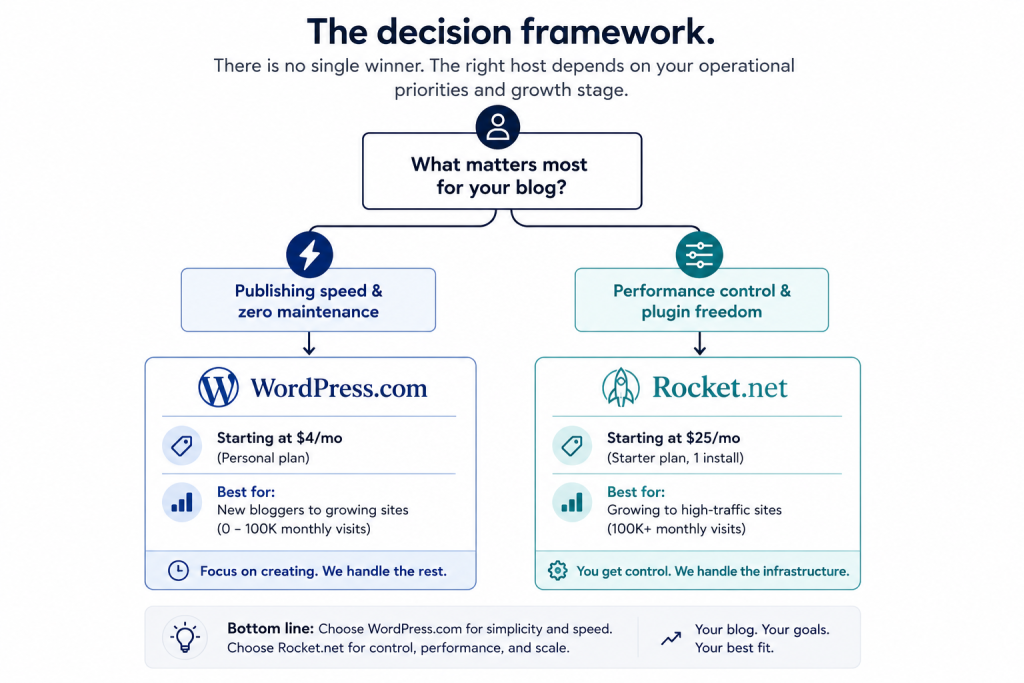
WordPress.com is the right call if:
- Publishing is the priority and infrastructure maintenance is a distraction
- Built-in audience tools, including Reader, native newsletters, and subscriber management, align with your growth approach
- The site does not require custom server configurations or plugin types that push against platform limits
- Budget matters and the starting entry point needs to stay low
Rocket.net is the right call if:
- Traffic is serious enough that server-level performance optimization has measurable impact
- The workflow requires plugin freedom without restrictions. This includes custom functionality, advanced WooCommerce, and membership plugins.
- Managing multiple WordPress properties makes the multi-install plans practical
- Staging environments and server-level control are operational requirements, not nice-to-haves
The Verdict
For a content-focused blog where publishing efficiency and zero maintenance overhead matter more than raw infrastructure control, WordPress.com wins the day-to-day experience. The built-in subscriber tools and Reader ecosystem provide distribution that no self-hosted setup replicates without additional tooling and ongoing management.
For a site where performance headroom, plugin freedom, and server-level access are legitimate operational requirements, particularly at traffic levels where CDN efficiency and caching architecture make a measurable difference, Rocket.net is the stronger platform. The Cloudflare Enterprise infrastructure and included WP Rocket license represent genuine value that would otherwise require separate purchases and configuration.
The honest answer is that these platforms serve different stages and different operator profiles. WordPress.com is where you build a blog. Rocket.net is where you run one at scale.
For everything above my personal choice will be WordPress.com for this kind of blogs and I will move two to fours blogs to them. If you want the same zero-maintenance setup, start with WordPress.com here. If Pressable was also on your shortlist, our comparison of the best Pressable alternatives shows exactly how WordPress.com stacks up against it, along with Kinsta, WP Engine, and Cloudways.