Don’t lose your visitors when your database is unavailable

When your WordPress blog has trouble connecting with the database, it returns a nice “Error Establishing a database connection”.
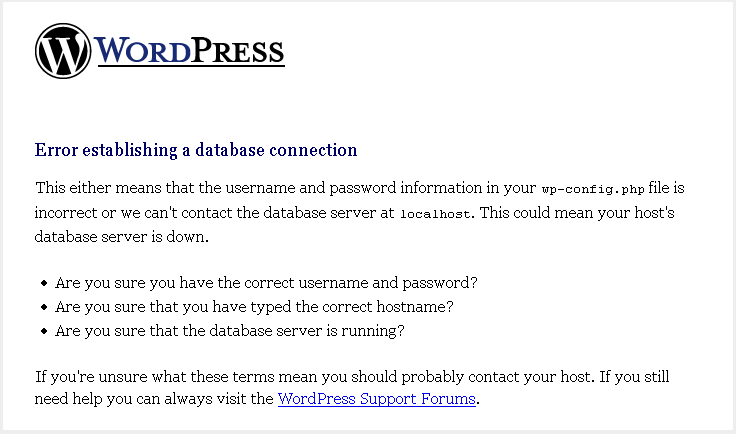
wordpress-database-error

Instead of losing visitors, db-error.php might be the useful solution.
You should create and place it in the wp-content folder. After that paste this short code in it.

[sourcecode language=”php”]<?php
// db-error.php

$host=$_SERVER[‘HTTP_HOST’];
$uri=urlencode($_SERVER[‘REQUEST_URI’]);
header("Location: http://google.com/search?q=cache:$host$uri&quot;);
exit();

?>
[/sourcecode]

the visitor is automatically redirected to the Google cache of the requested page. This avoids losing a visitor.
You May Also Like

How to Transfer From Blogger to WordPress In 6 Super Easy Steps

Blogger is a great tool for beginners, but once a blogger starts to realise the perks of having full control over their content, then WordPress becomes the next best option. There is a lot of information about how to migrate your blog or site. The hardest part about this move is trying to find and […]

Media Temple is launching a new enterprise WordPress solution

Media Temple, the leading hosting company owned by GoDaddy, launched a new enterprise-grade WordPress hosting solution today and hosting the new-brand service on AWS. The company knowing for its advanced WordPress Hosting service on its own servers that promise a better configuration and supported installs, will keep helping with the security issues and automatically patch […]

Exclude the category you don’t need from your menu

Every time you add a new theme to your WordPress blog and you find that this theme show all your categories in a menu. The idea of excluding a category from the menu come directly to your mind. Today I propose to change the categories menu you have in your home page to suit your […]

What’s New In WordPress 4.3

  WordPress is the most widely used content management system in the world. It is an excellent platform for beginners to launch their blog without needing expert knowledge on HTML. WordPress is also useful for sole proprietors who want their business to have an online presence but at the same time do not want to […]