Why WORDPRESS is better?

Why WORDPRESS is better?
You might have started your own online business. Well, to make it work, you need to own a site. However, if you do not know much about programming languages, then it would benefit you a lot to make use of the simple and easy ones. In this matter, it would be a very good idea […]
View Post

Don’t lose your visitors when your database is unavailable

Don’t lose your visitors when your database is unavailable
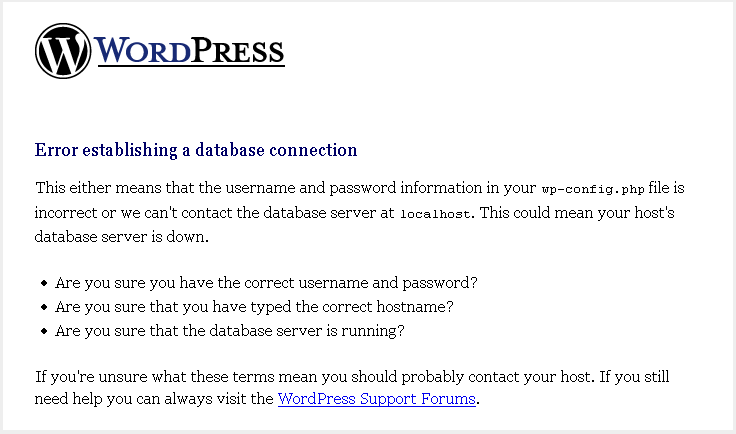
When your WordPress blog has trouble connecting with the database, it returns a nice “Error Establishing a database connection”. Instead of losing visitors, db-error.php might be the useful solution. You should create and place it in the wp-content folder. After that paste this short code in it. [sourcecode language=”php”]<?php // db-error.php $host=$_SERVER[‘HTTP_HOST’]; $uri=urlencode($_SERVER[‘REQUEST_URI’]); header("Location: http://google.com/search?q=cache:$host$uri"); […]
View Post

Create a custom PHP page in the WordPress environment

Why WORDPRESS is better?
How to create a custom PHP page that have access to all variables and functions within the environment of our WordPress blog? The answer is very simple. First create a page in your theme folder: /wp-content/themes/your-theme-name/page.php After that use this code in the top of your page [sourcecode language=”php”]<?php define(‘WP_USE_THEMES’, false); require(‘../../../wp-blog-header.php’); ?>[/sourcecode] Now you […]
View Post

Fix the ‘Scheduled Maintenance’ Error on WordPress

Fix the ‘Scheduled Maintenance’ Error on WordPress
One of the most annoying error in WordPress is the ‘Scheduled Maintenance’ message a Webmaster gets after an automatic upgrade has completed. This problem is mainly caused by a failed automatic upgrade or an interrupted update process.  So each time a visitor tries to visit your home page, he/she will get the following message: Briefly unavailable […]
View Post

Use the RSS feed for a specific category

If you want to encourage your readers to subscribe to some of the updates of your site, it may be interesting to set up RSS feeds by category. The feed url to track updates on a category is obtained very simply by getting the URL of your category and add this /feed after the link they […]
View Post

Affect an image to categories in WordPress without plugin

This tutorial allows you to add a text field to fill the URL of an image for each of your categories. Add this in your functions.php file: [sourcecode language=”php”]add_action(‘init’, ‘my_category_module’);[/sourcecode] [sourcecode language=”php”]function my_category_module() { add_action ( ‘edit_category_form_fields’, ‘add_image_cat’); add_action ( ‘edited_category’, ‘save_image’); }[/sourcecode] The function to add the extra field : [sourcecode language=”php”]function add_image_cat($tag){ $category_images = get_option( ‘category_images’ ); $category_image = ”; if ( is_array( $category_images ) &amp;amp;amp;amp;amp;&amp;amp;amp;amp;amp; array_key_exists( $tag-&amp;amp;amp;amp;gt;term_id, $category_images […]
View Post